AI image ranking
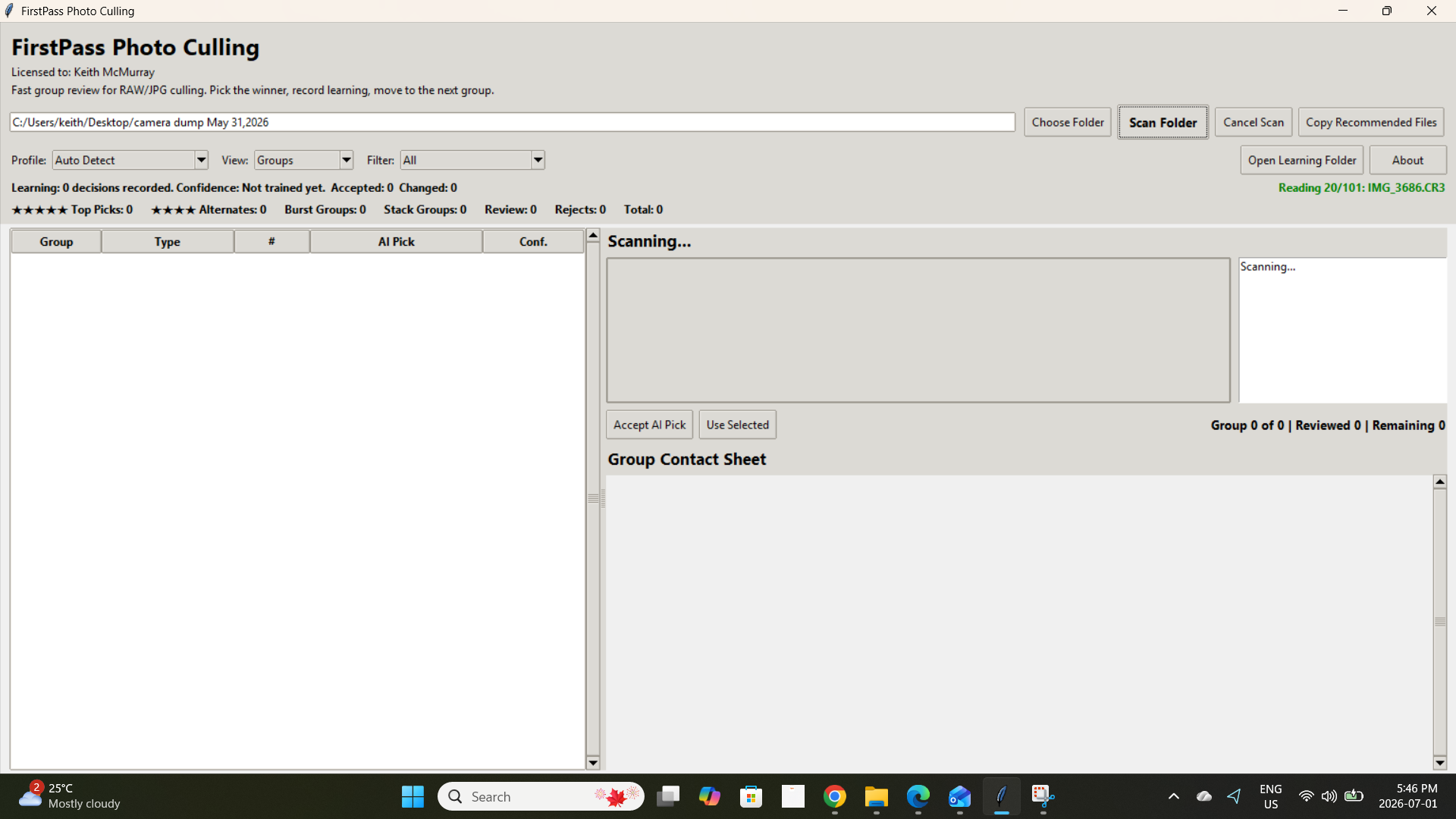
Scores and ranks photos using technical signals like sharpness, exposure recoverability, contrast, and visible noise.
AI-assisted photo culling for photographers
FirstPass detects bursts, ranks images, explains why each pick was selected, and copies recommended files into organized folders for review.
One-time purchase. No subscription. Works completely offline after activation. Originals are not moved or deleted.
What it does
Use FirstPass before Lightroom or your main editor to separate strong candidates from the noise.
Scores and ranks photos using technical signals like sharpness, exposure recoverability, contrast, and visible noise.
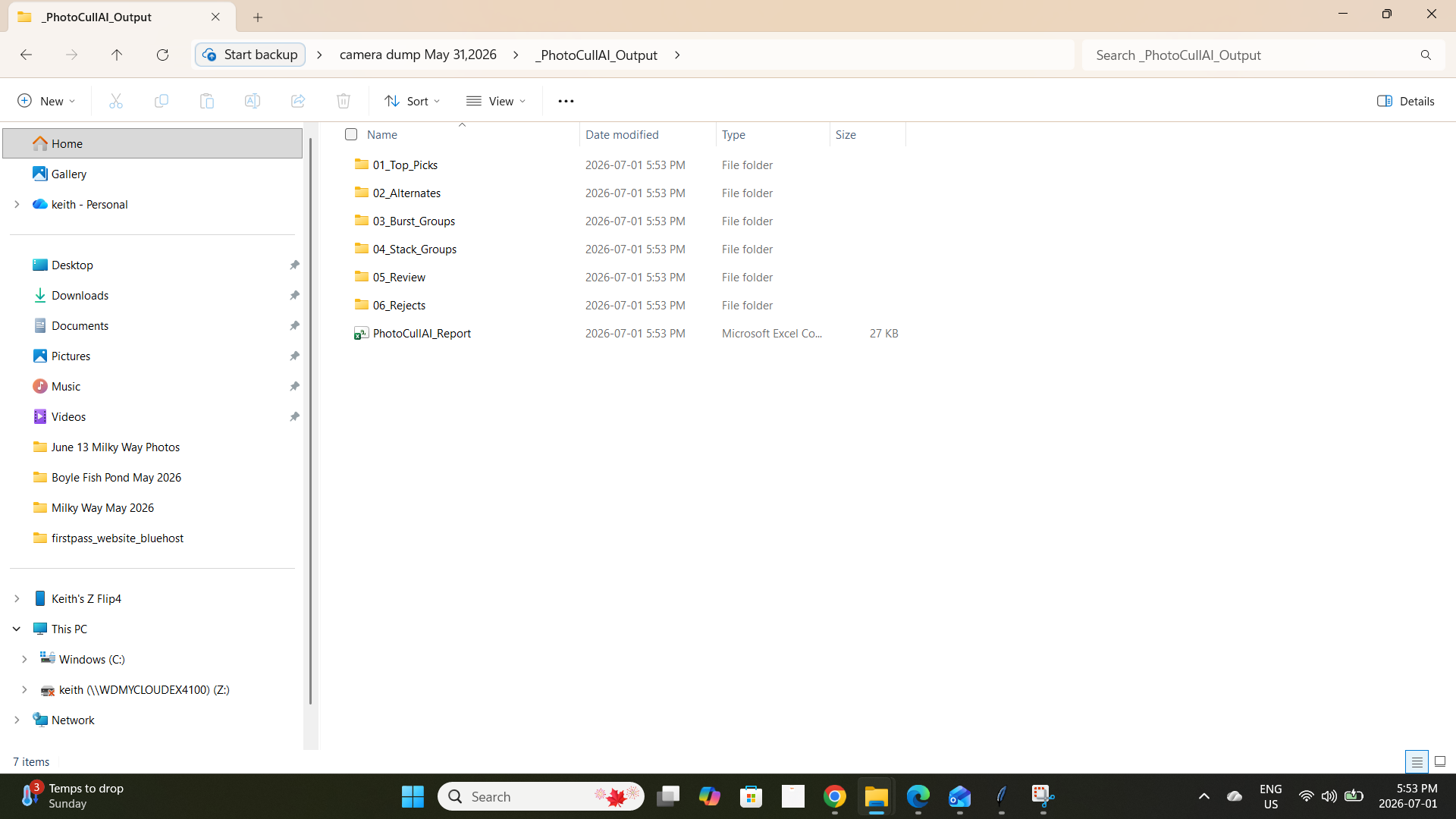
Groups similar sequential images so you can quickly pick the strongest frame from each burst.
Shows the reason behind each recommendation so you can trust, override, or train the app.
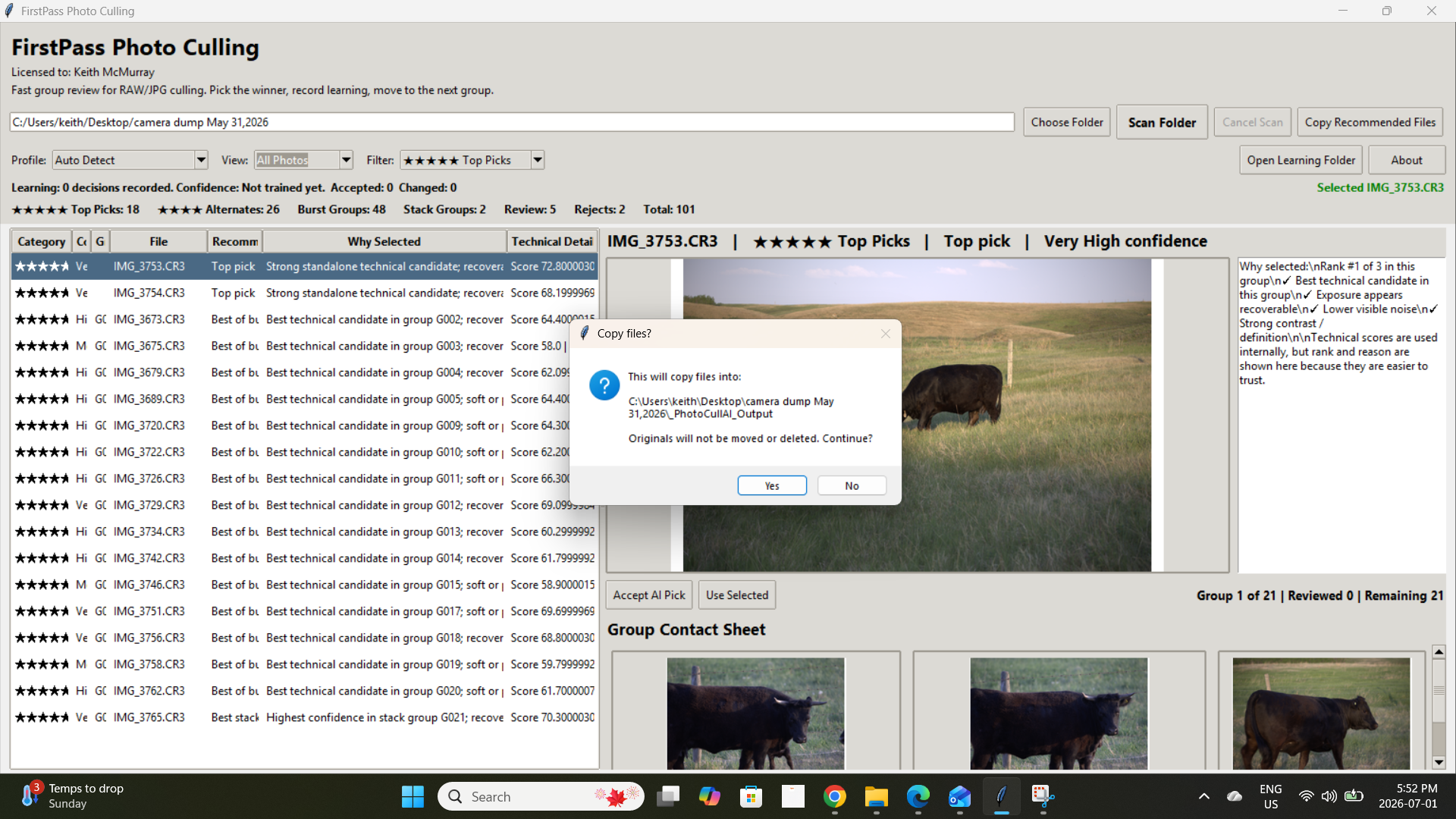
Copies recommended files into Top Picks, Alternates, Burst Groups, Review, Rejects, and Stack Groups.
Creates a report of the AI decisions for review, handoff, or future reference.
Your original images stay where they are. FirstPass copies selected files into a separate output folder.
Screenshots
One-time purchase
No subscription. Includes Windows and macOS installers for the current version.
Buy NowAfter purchase, you will receive a license key to activate the app.
You will be redirected to a secure thank-you page with the Windows and macOS installers.
Your license key will be emailed to you shortly after purchase.
Already purchased? Open download pageFAQ
No. FirstPass uses a non-destructive workflow. It copies selected files into an output folder and leaves your originals untouched.
FirstPass is built for common RAW and JPG workflows including Canon CR2/CR3, Nikon NEF, Sony ARW, and JPEG.
Yes. FirstPass is available for Windows and macOS. The macOS version is signed and notarized by Apple.
No. FirstPass is a one-time purchase for the current version.
Yes. You can accept the AI pick or manually choose the image you prefer.